Lifts, food and body weight. One app. Free.
Ordivum logs your sets and picks your next weight. Your food diary and your weigh-ins sit beside them, on iPhone and the web.
Free. No card needed.
Coming from Strong or Hevy? Import your past workouts in Settings.
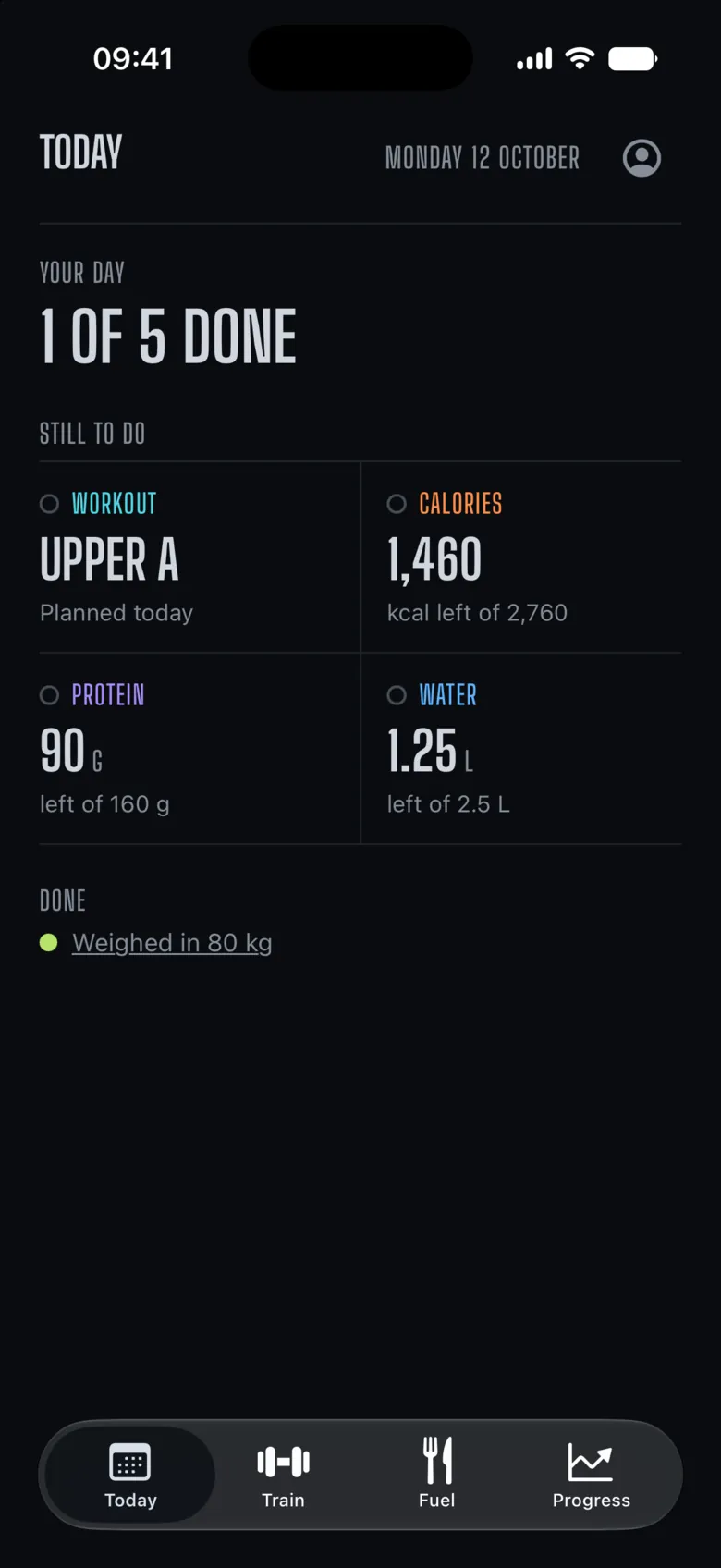
Your whole training day, in four screens.
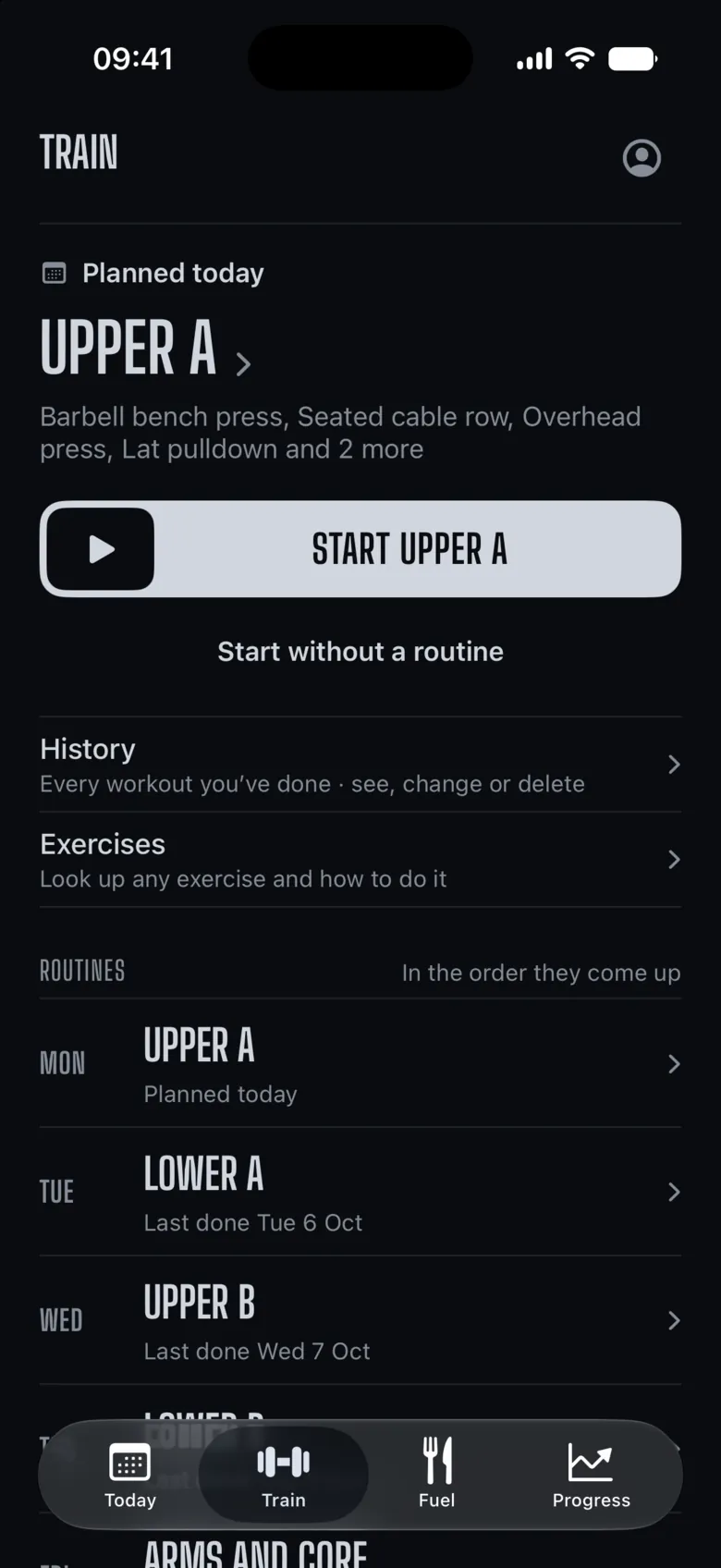
Train. The next workout, in order.
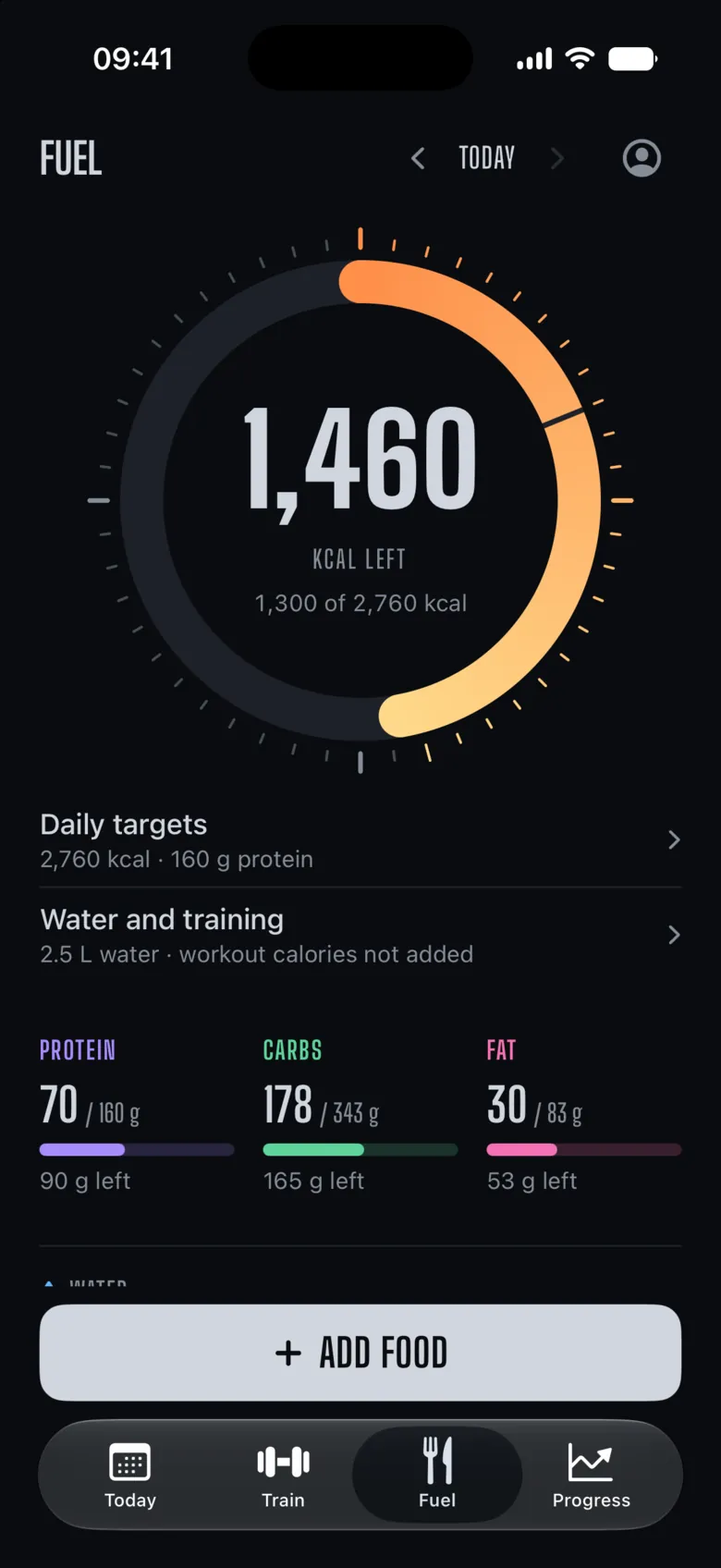
Fuel. Calories left, at a glance.
- Search
- Barcode
- Saved meal
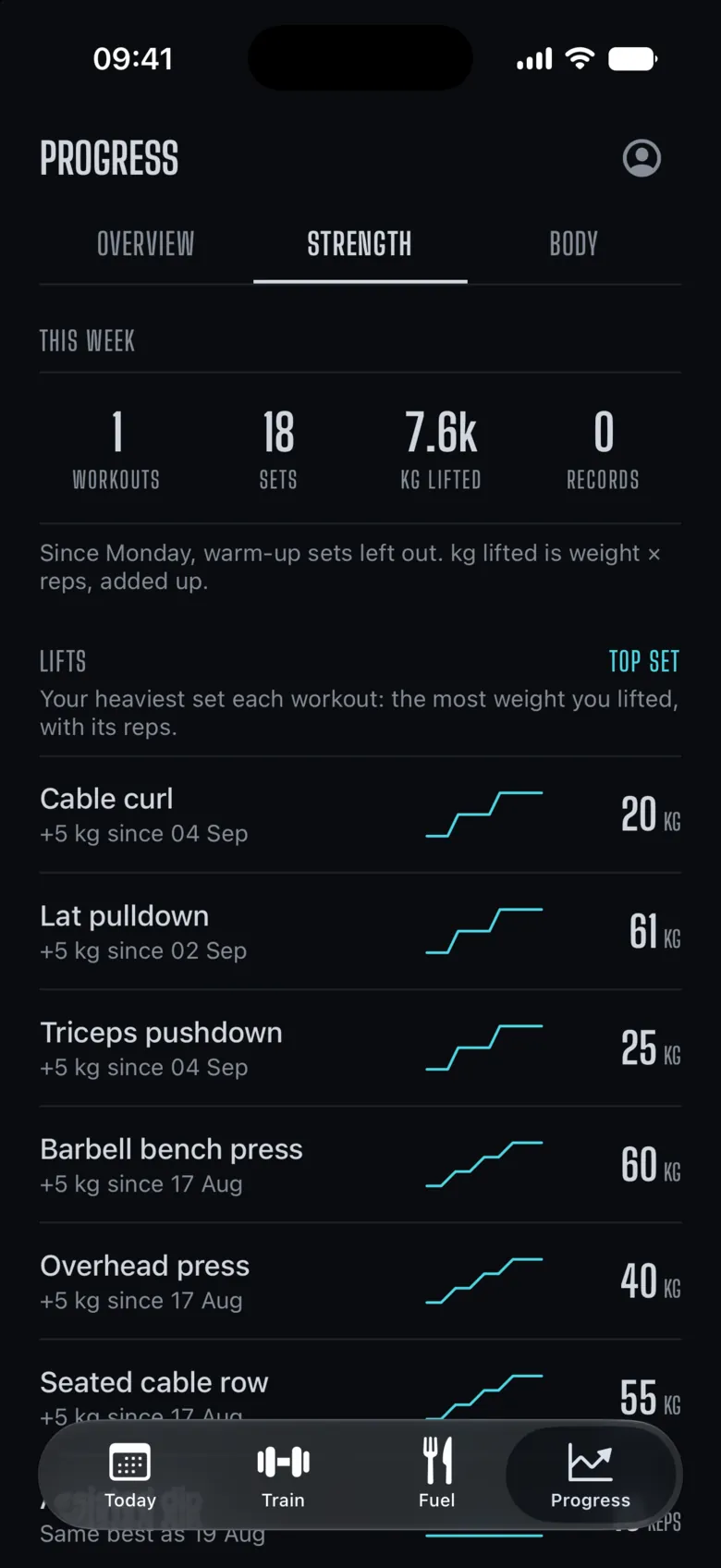
Progress. Kilograms lifted each week, and every lift’s top set.
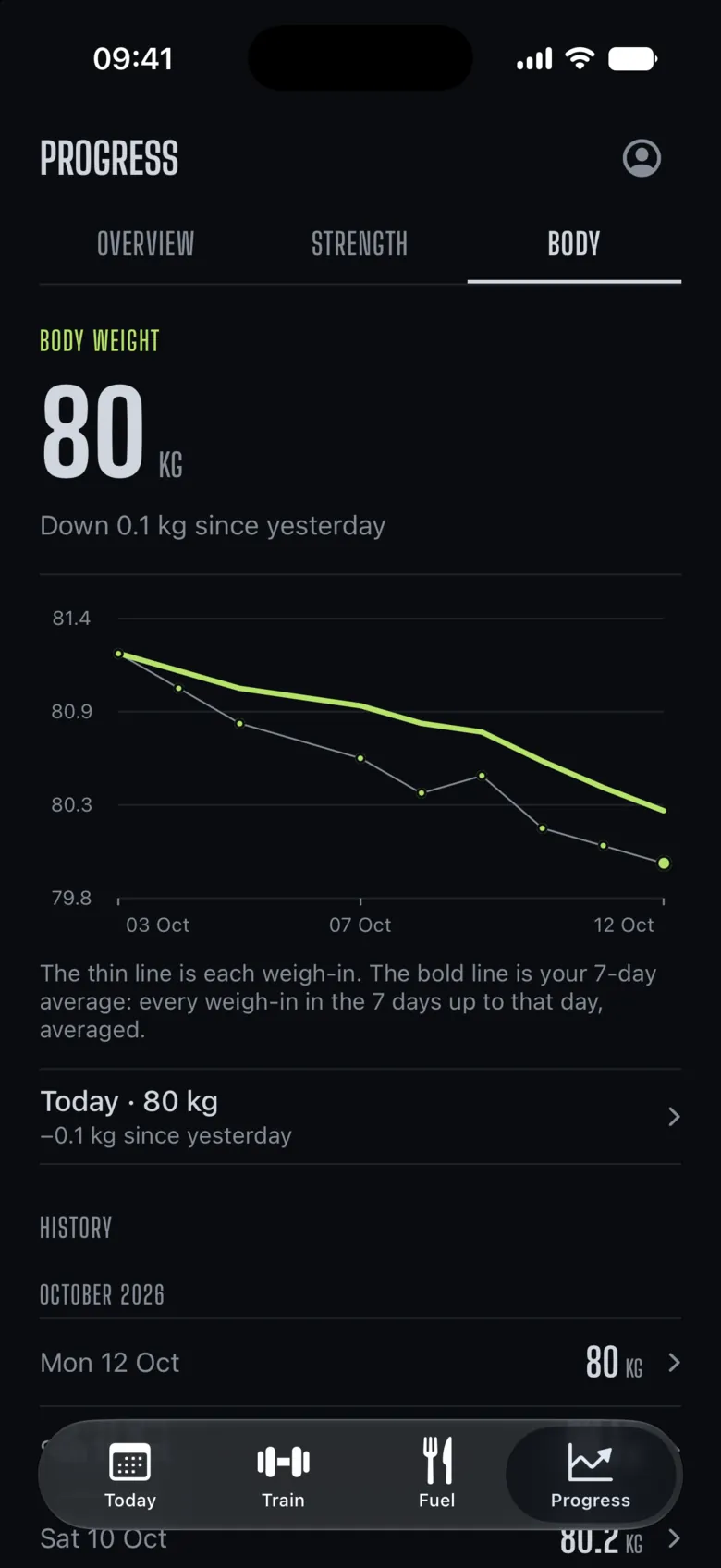
Body. Body weight, with its trend.
The live workout.
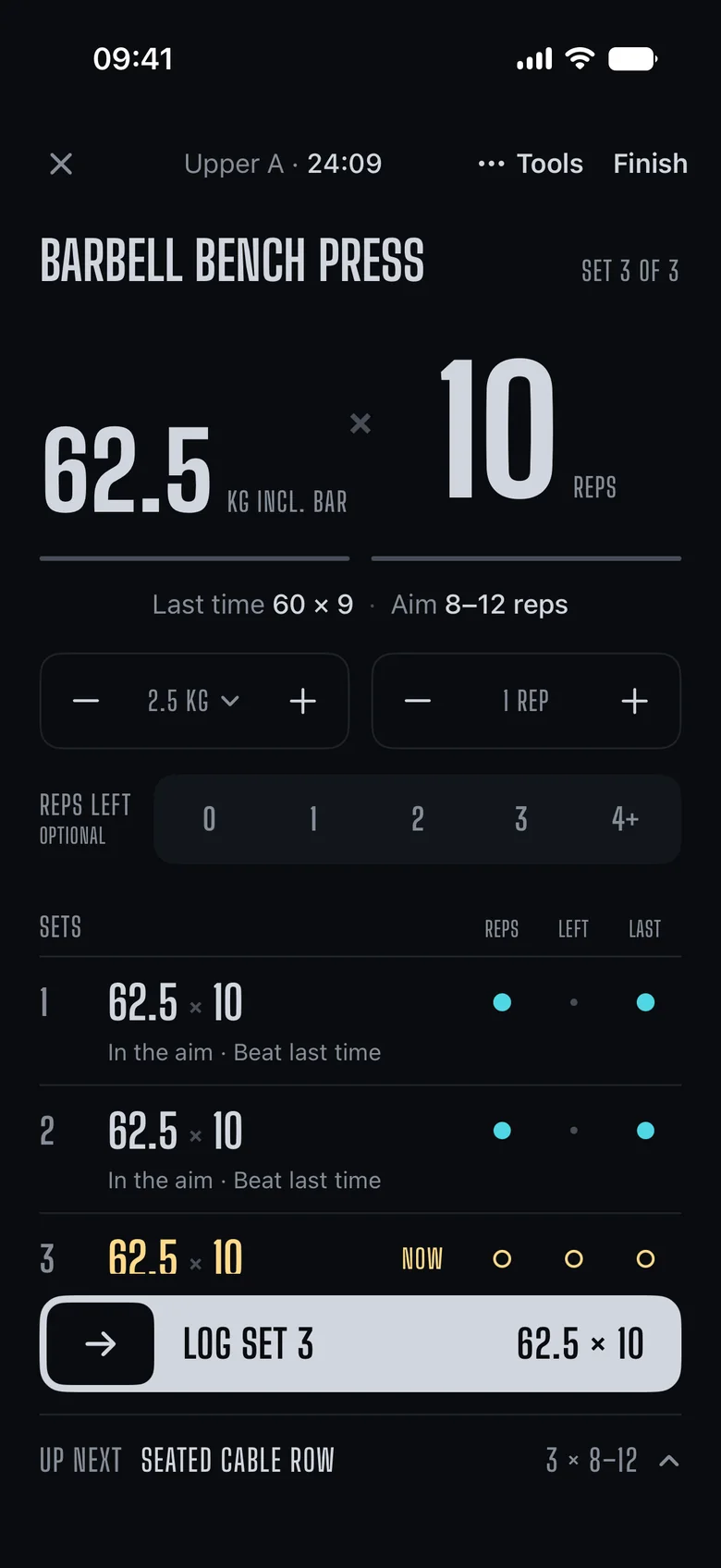
Read from a metre away
Last time, under the set
Every set, marked
One slide logs the set
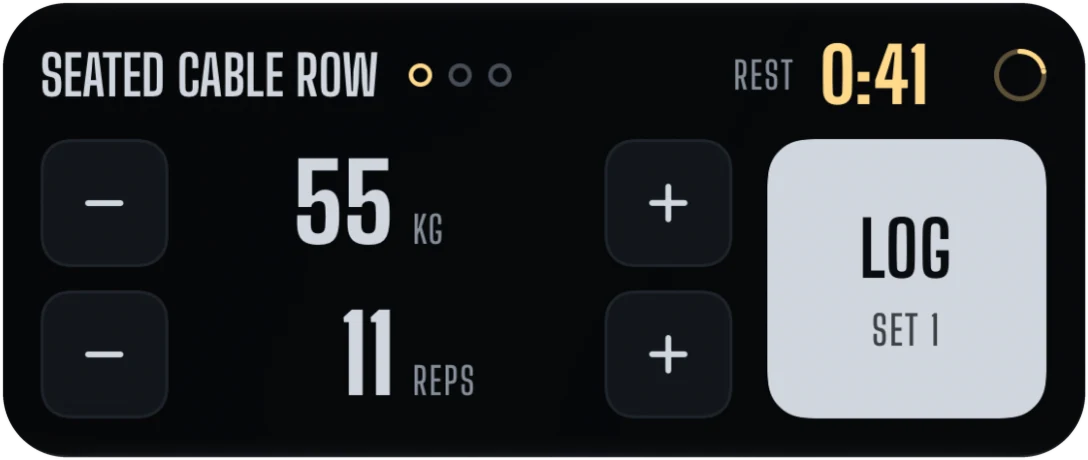
Log the set from the Lock Screen.
The next weight, chosen for you.
Top of the aim on every set
Example · aim 8 to 12 at 60 kg
12 reps· 12 reps· 12 reps
Next time
62.5kg next time
Short of it
Example · aim 8 to 12 at 60 kg
12 reps· 11 reps· 10 reps
Next time
60kg, one more rep
Three workouts without progress
Example · aim 8 to 12 at 60 kg
9 reps· 9 reps· 8 reps
Next time
Lighterto build again
Your log stays yours.
- Private to your accountPrivacy
- No ads
- Download your data any time
- Estimates are marked
On your iPhone. And on the web.

Join the iPhone beta.
Places are limited. Ages 13 and over. For iPhones on iOS 18 or later. If places run out, use Ordivum on the web on the same account.
- Install TestFlight from the App Store.
- Tap Join the beta, then Accept and Install.
- Open Ordivum and sign up.
Free to start. Free to keep.
PricingFree
£0
Log your training, food and body weight, and get your next weight for every lift.
Questions.
Is it free?
Yes. Every feature is free.
How do I get the iPhone app?
It’s in beta on Apple’s TestFlight, not on the App Store yet. Join from this page while there are places, or use the web on the same account.
Do I need a plan to follow?
No. Build your own routines or start from a ready-made one: push, pull, legs; upper and lower; or full body. Or paste one you already have with Add a plan.
What can I log?
Every set's weight and reps, with reps left or RPE if you want them. Warm-ups, your own exercises, food, water and body weight. The help page has the full list.
Does it teach technique?
No. Ordivum doesn't teach technique. Built-in exercises have short written steps.
Can I bring my workouts from Strong or Hevy?
Yes. Export a CSV from Strong or Hevy, then open Settings and choose Import workouts on the iPhone, or Import and export workouts on the web. The file is read on your device and the workouts join your history.
Is there an Android app?
No. On Android, use Ordivum in your phone's browser at ordivum.com, on the same account.
Does it work with Apple Health?
If you turn it on, the iPhone app reads one thing from Apple Health: the active calories of a workout, to add to that day's calorie target. It never writes to Apple Health.
Kilograms or pounds?
Either. Pick your unit in Settings and every weight follows it.
Does it work without a signal?
The iPhone app keeps logging offline and syncs your sets when it reconnects.