Your training, recorded. Your next weight, chosen.
Ordivum is a training log for iPhone and the web. It records your lifts, food and body weight, and sets the target for your next workout.
Free, with no expiry and no payment details. For lifters aged 13 and over.
The iPhone app is in beta on TestFlight. It is not on the App Store yet. You can use Ordivum on the web today, on the same account. Join the beta.
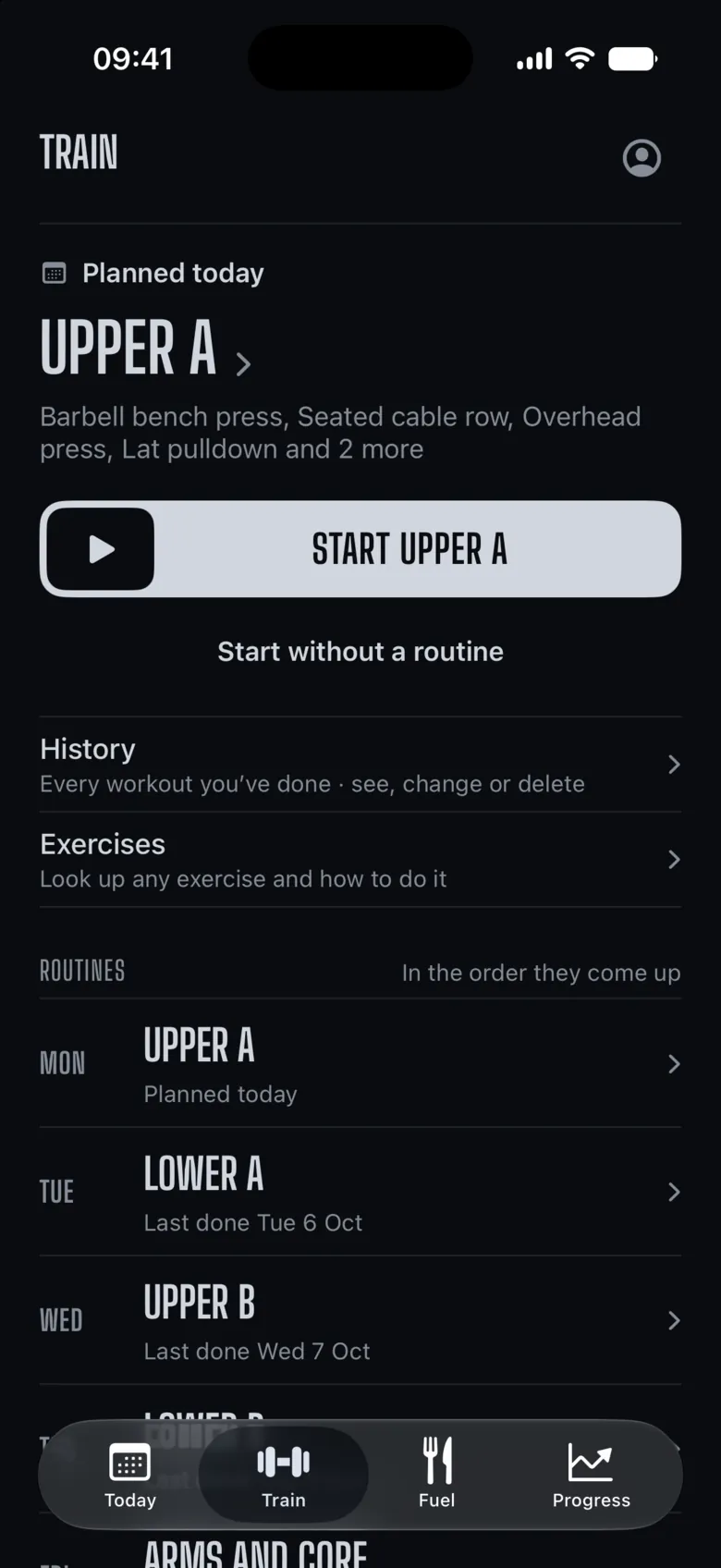
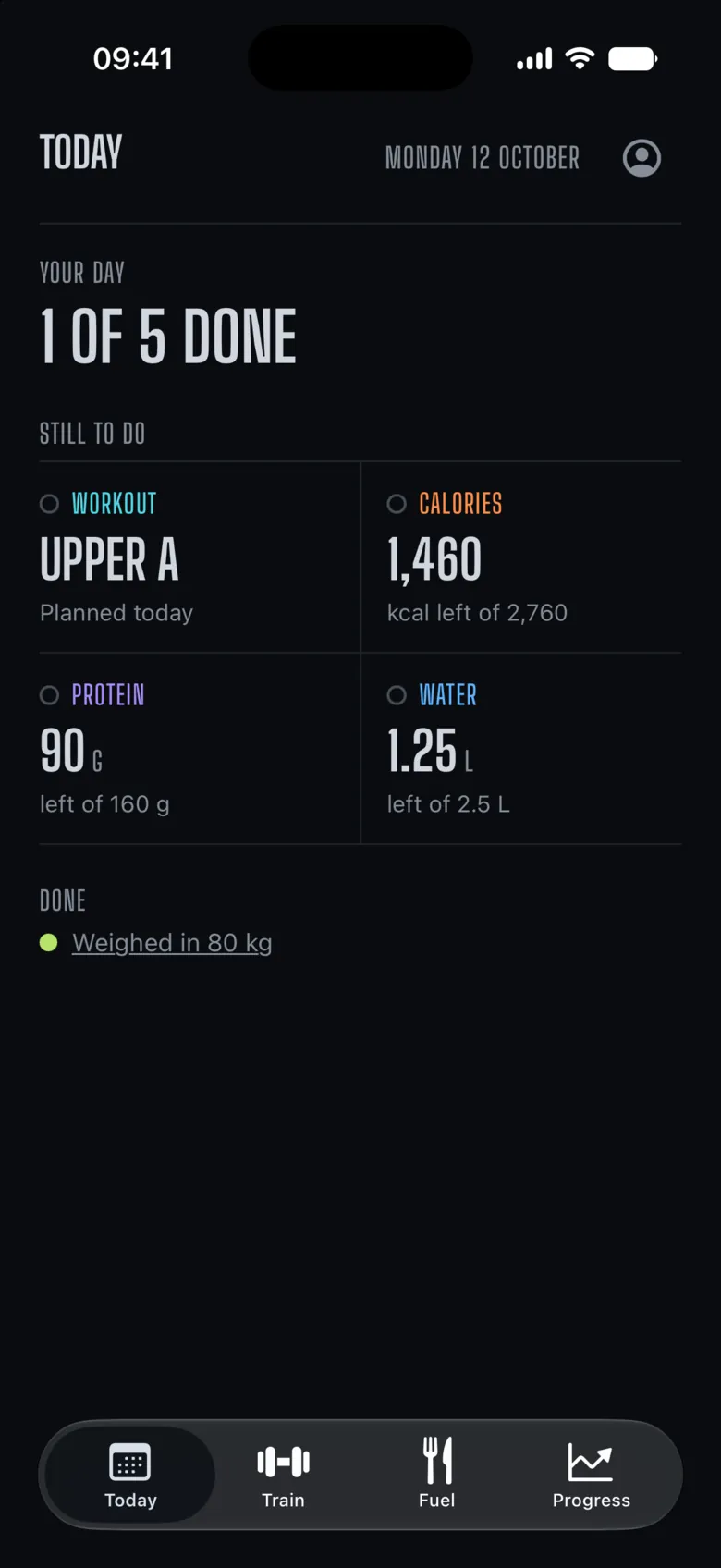
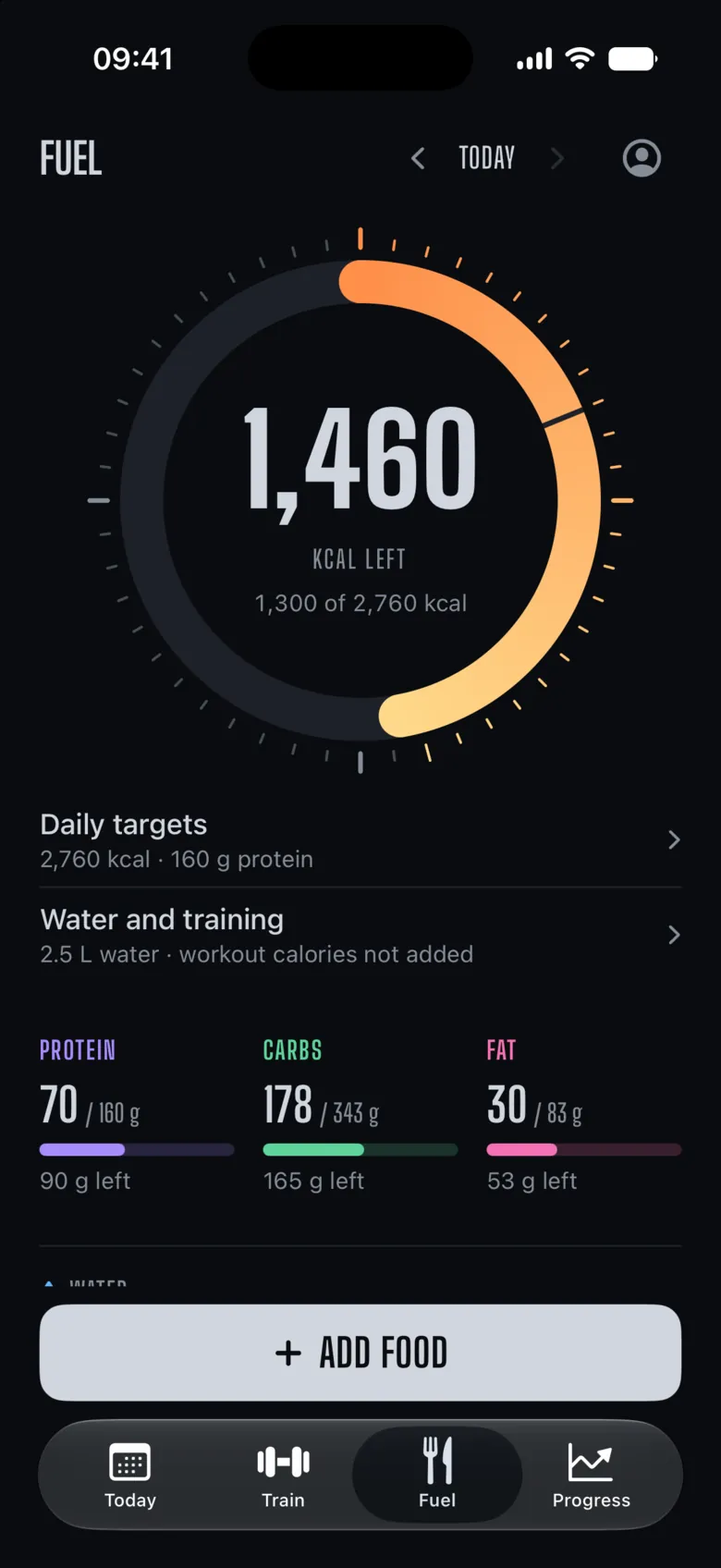
Your whole training day, in four screens.
Train. The next workout, in order.
Train opens on the routine that comes up next, with your routines below it in the order they come up, on set days or in a rotation.
Fuel. Calories left, at a glance.
A dial that fills through the day, with protein, carbs and fat under it. Log food by search, barcode or a saved meal.
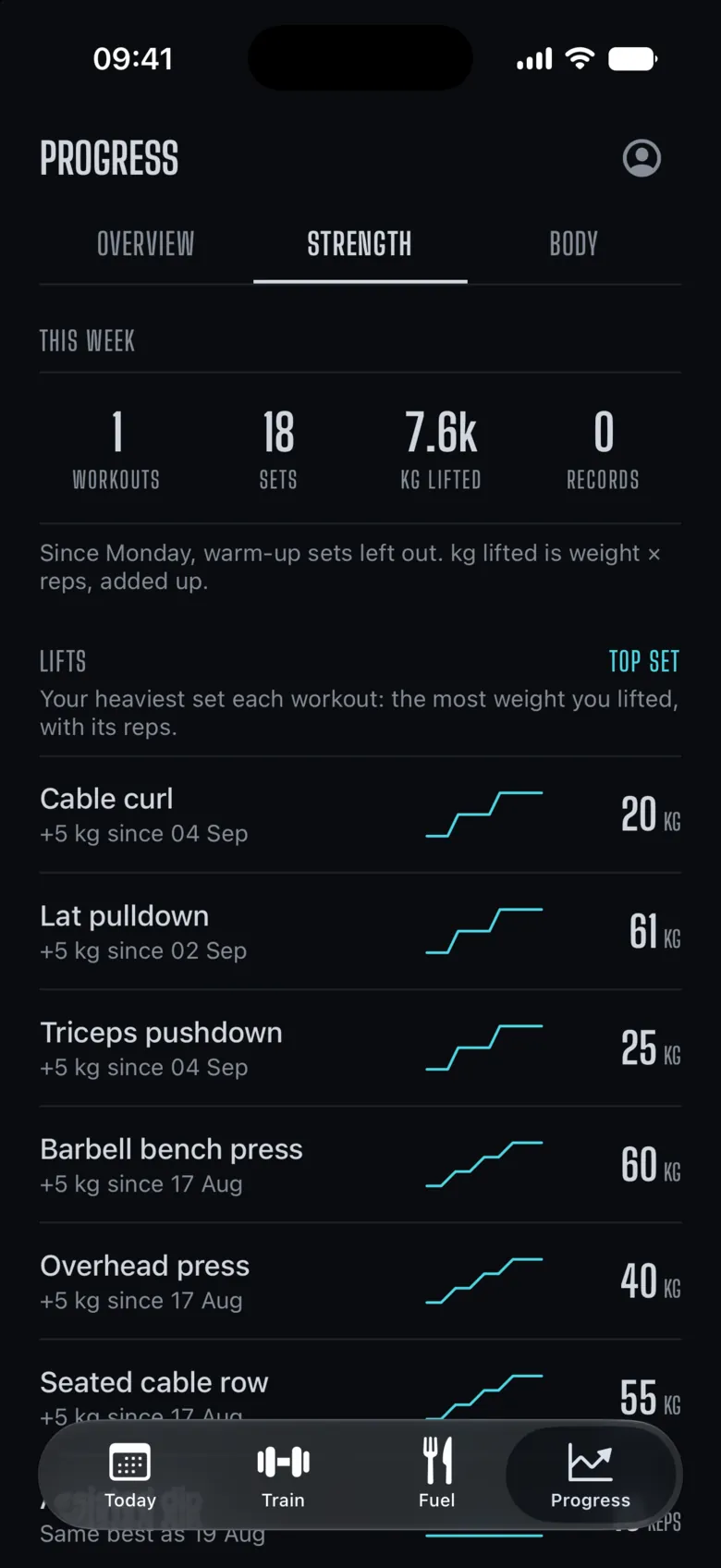
Progress. Change, with its source.
Progress shows which lifts moved and by how much, from the sets you lifted: your top set each workout, your rep records and your heaviest single.
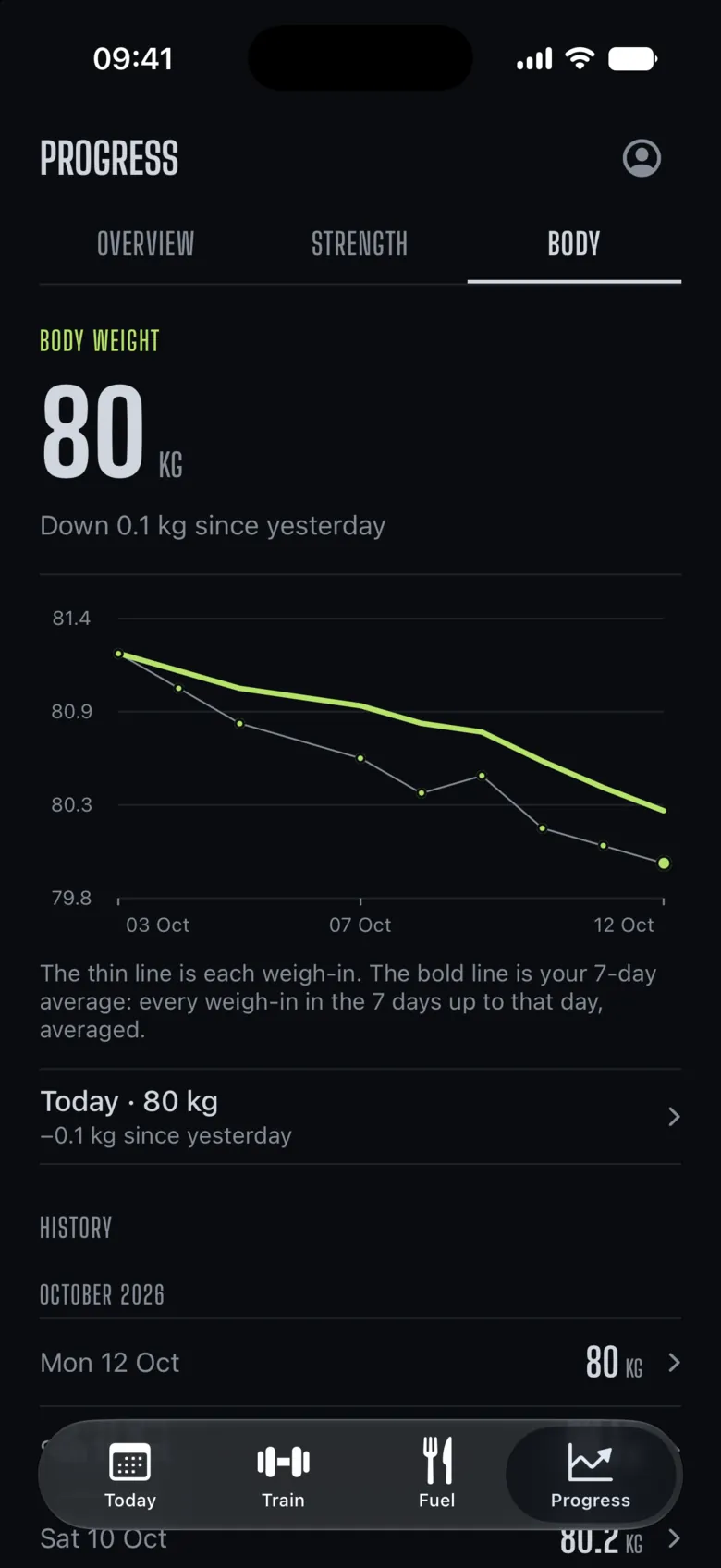
Body. Body weight, with its trend.
Each weigh-in, with a 7-day average, so one heavy morning does not move the line.
Built for the bench.
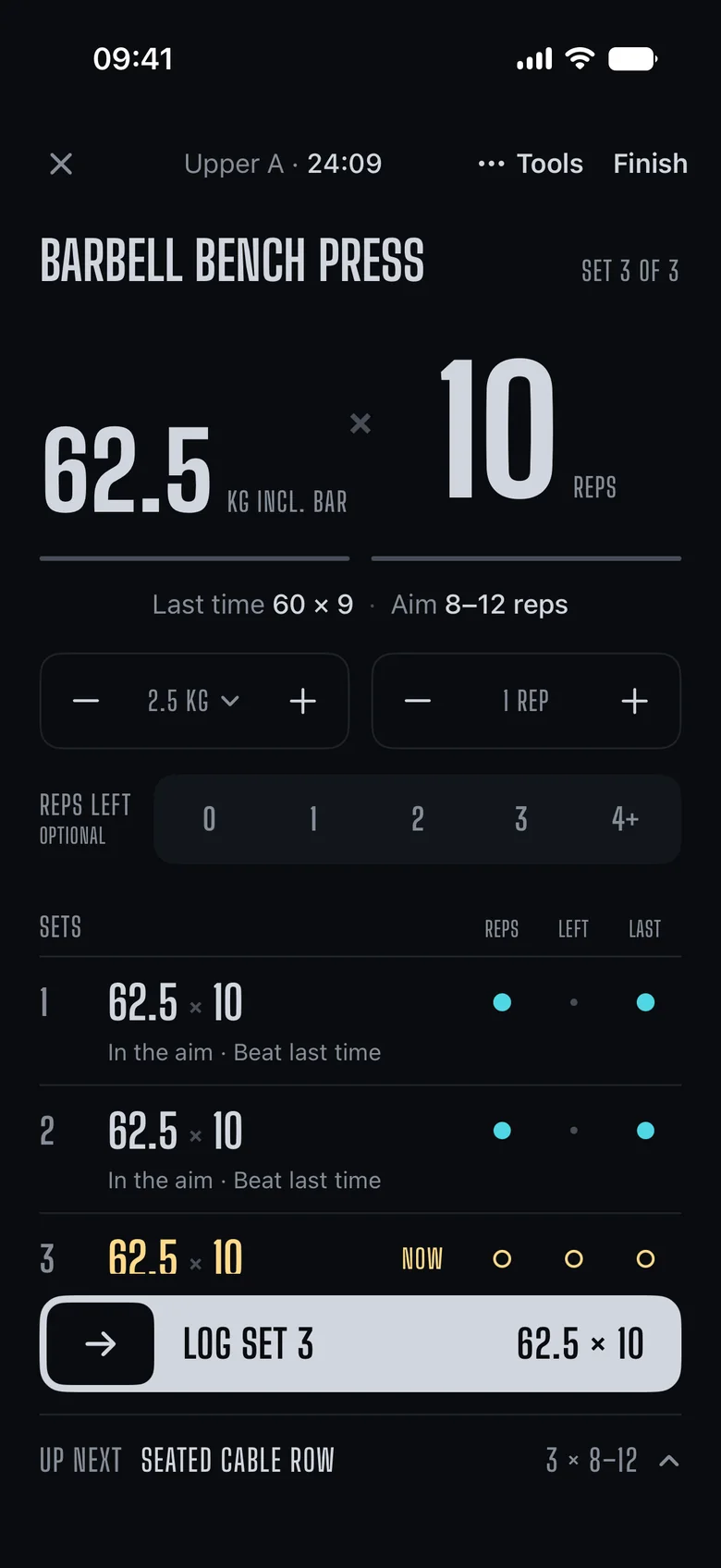
Sweaty hands, a phone set down between sets, a number read from across the room. The live workout is drawn for that.
Read from a metre away
The weight and reps are the biggest thing on the screen, for a phone set down on the bench.
Last time and the aim
What you lifted last time and the rep aim sit right under the set.
Every set, marked
Each logged set shows whether it was in the aim and whether it beat last time.
One slide logs the set
An unchanged set logs in one slide. The next set and its slide stay on screen while you rest.
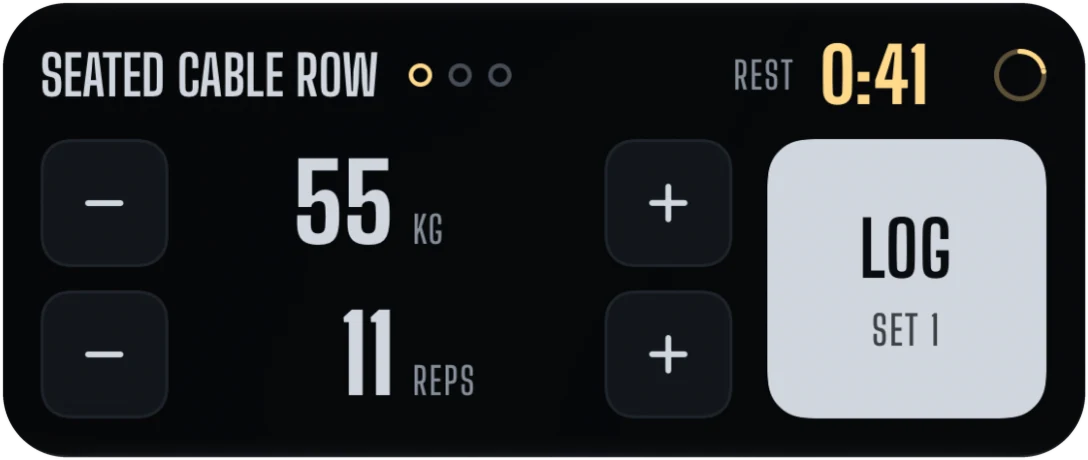
Log the set from the Lock Screen.
The live workout follows you onto the Lock Screen and into the Dynamic Island, rest timer and all.
The next weight, chosen for you.
Each lift has a rep aim. Ordivum reads your last workout against it and sets the target for the next one, so you always know what to beat.
Top of the aim on every set
The weight goes up by your step next time.
Example · aim 8 to 12 at 60 kg
12 reps· 12 reps· 12 reps
Next time
62.5kg next time
Short of it
Same weight, and one more rep to chase.
Example · aim 8 to 12 at 60 kg
12 reps· 11 reps· 10 reps
Next time
60kg, one more rep
Three workouts without progress
The weight drops back so you can build again.
Example · aim 8 to 12 at 60 kg
9 reps· 9 reps· 8 reps
Next time
Lighterto build again
New lift, or a new goal? Calibration works out your working weights from the sets you log, then hands back to normal progression.
One person’s record. Yours.
- Only you can see what you log.
- No ads.
- No cheering. It records.
- Export everything, any time: the account as JSON, the food diary as CSV.
- Measured numbers say measured. Worked-out numbers say estimated.
On your iPhone. And on the web.
ordivum.com has the same four screens on the same account, for planning and looking back on a bigger screen.

Join the iPhone beta.
The iPhone app is in beta on Apple’s TestFlight. Places are limited, and it’s for ages 13 and over.
- Install TestFlight from the App Store.
- Tap Join the beta, then Accept and Install.
- Open Ordivum and make an account. You give your date of birth, and you must be 13 or over.
Your records are private to your account, and you can delete your account at any time. See the Privacy Notice. Questions: support@ordivum.com.
Free to start. Free to keep.
Core logging stays free, with no expiry and no payment details. Plus is not on sale yet.
Compare plansFree
£0 for ever
Log your training, food and body weight, with its history and your records.
Plus Preview
£4.99 a month
Adds training analysis, strength ranks, food trends and a review of each year.
UK only. Not on sale yet.
Questions.
Is it free?
Core logging is free for ever. Plus adds deeper analysis of your training and food.
How do I get the iPhone app?
The iPhone app is in beta on Apple’s TestFlight and is not on the App Store yet. Join the beta from this page while there are places. Until then, use Ordivum on the web. Your account works in both places.
How old do I need to be?
13 or over. You give your date of birth when you sign up.
Do I need a plan to follow?
No. Build your own routines, or start from a ready-made one: push, pull, legs; upper and lower; full body; or a block of 8 to 16 weeks.
Kilograms or pounds?
Either. Pick your unit in Settings and every weight follows it.
Does it work without a signal?
The iPhone app keeps logging offline and syncs your sets when it reconnects.